RestoBot: AI Chatbots for Restaurants, Cafes and more!
Considering how busy the restaurant business can be, we have designed a CMS for the RestoBot that makes updating your menu quick and easy, and your changes and additions of new menu items is shown instantly on your Chatbot.
First, select the menu item you would like to edit by clicking on its name:
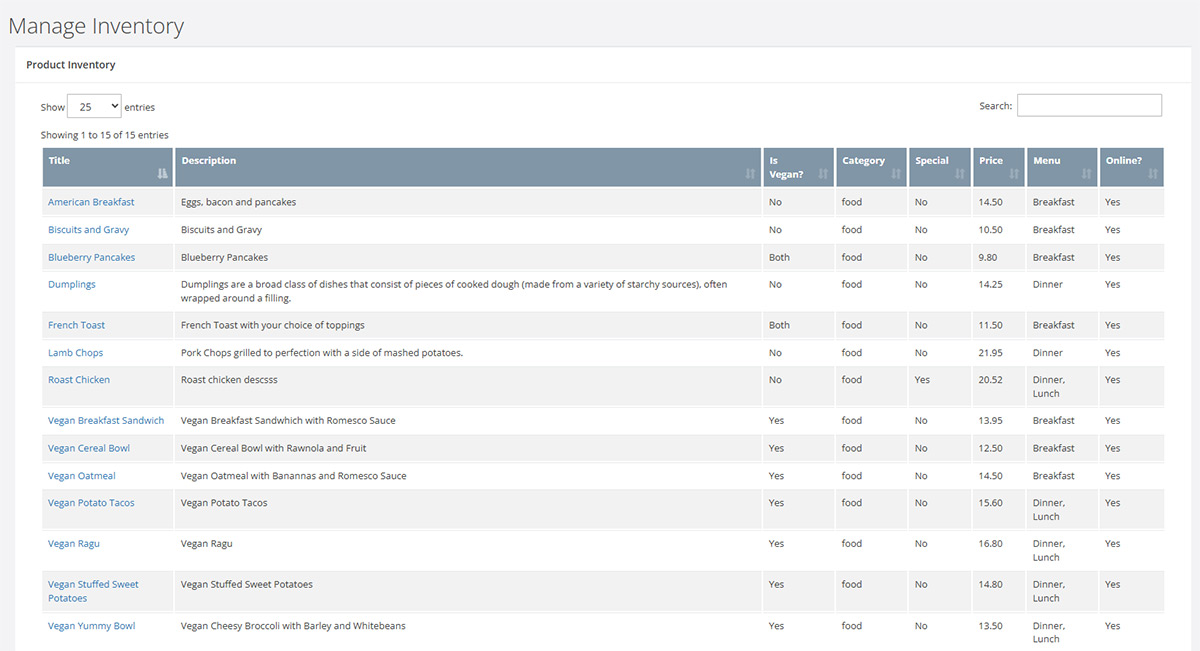
Once you select an item you will be presented with the main editing page for that menu item: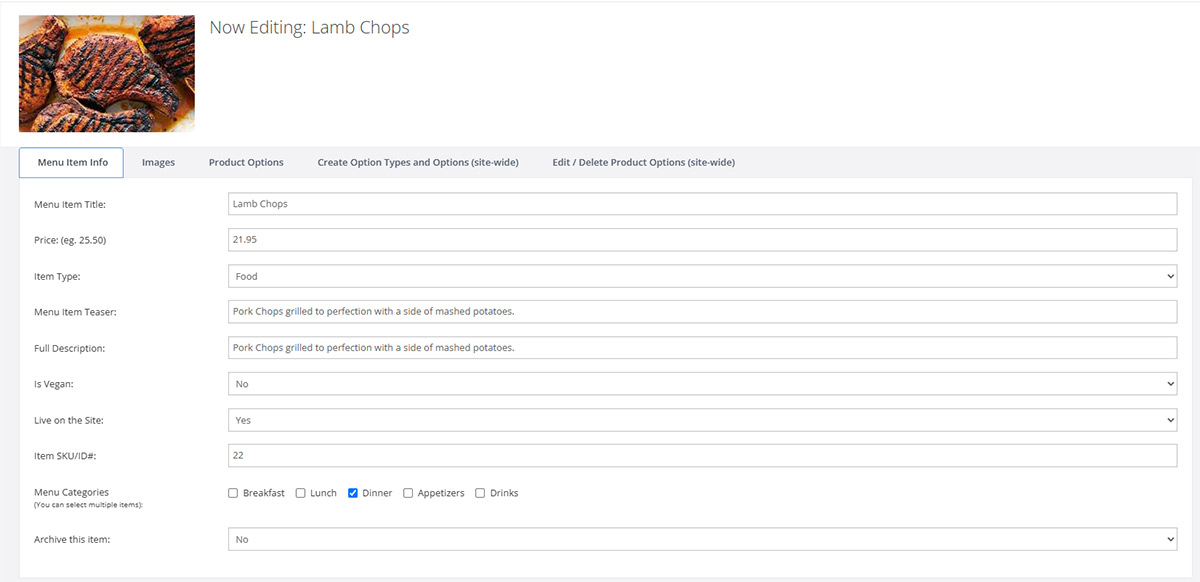
Changing the images for the menu item is as simple as can be: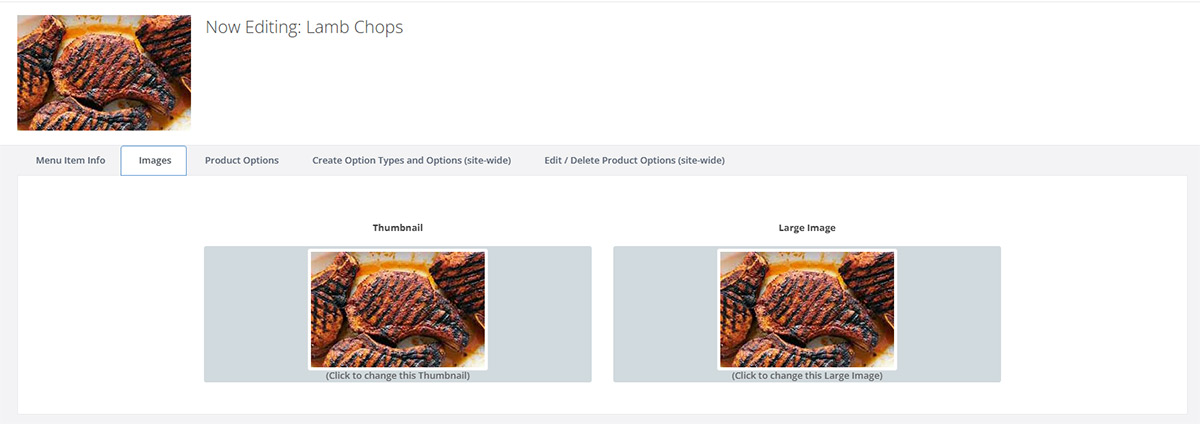
Next up, you can assign different Options for a given menu item, and can specify if the cost is reduced or increased by a dollar amount or a percentage. For example, discounts: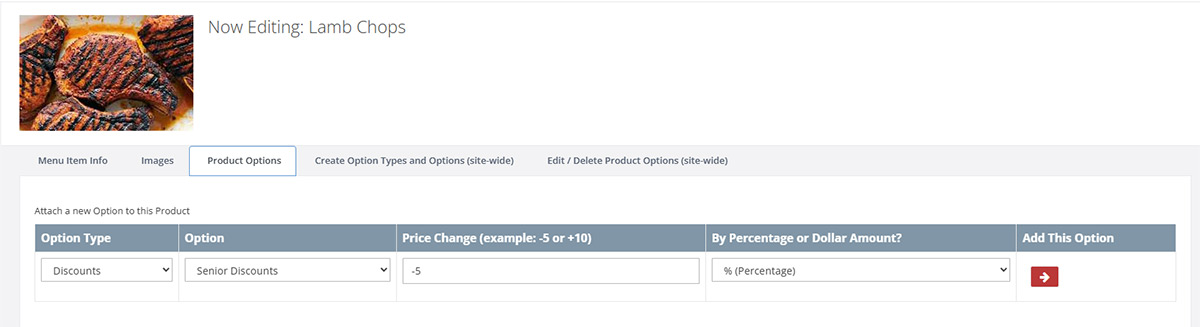
Want to add more options for your menu items? Here you can create a new option type category (like "Discounts" or "Condiments") and then a sub-category (Like "Side Dishes" or "Parties of 6 or more"). These options are then available for any menu item that you edit.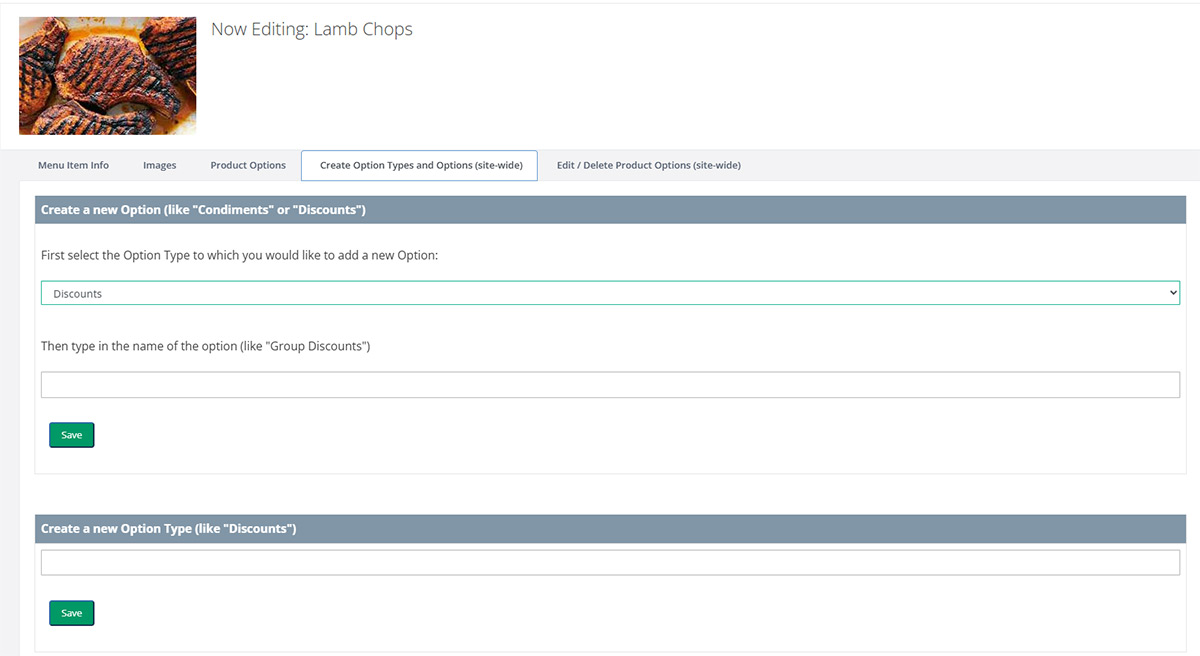
Need to change the name or delete an Option? Super easy!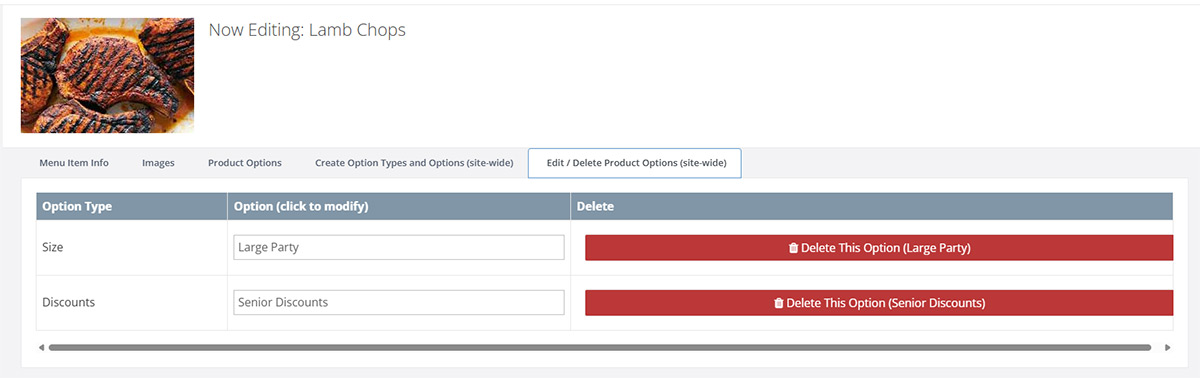
We have worked hard on this CMS so that you don't have to! Adding and editing products is very straight-forward, allowing you to update your Chatbot in seconds.
Features & Benefits
See how RestoBot saves time, boosts orders, and delights customers.
View RestoBot's Features
Ready to get RestoBot or have more questions?